In praise of ebooks

It’s great living in the future. The world’s information is in our pockets. We have no end of things to read and watch and play. Consequently, there also is no end of empty, worthless, even harmful diversions that can consume our time and attention.

Just as you should be mindful of what you put in your mouth, take care to put worthwhile things in your mind. Be a good curator of what merits your attention. Life is short. Use your very limited time and attention to consume books, articles, music, and other art that will make you better and happier.

I’m now a reader of ebooks. I have always been a book reader. I’ve collected and read books since I was old enough to read. Just picking up certain books in my collection can cause a rush of memories associated with reading them. But I’m not particularly nostalgic about the demise of paper books and newspapers and magazines. Paper is just a vehicle for the content. It’s the content that matters.

Ebooks ensure that you can easily access your entire collection of books from anywhere. John Adams advised his son, John Quincy, to “Always have a poet in your pocket”, to carry a book with you constantly to make good use of any down time. Now, there is no excuse not to have a good book or other reading material constantly available to you.

Ebooks make reading a pleasure for me. You can change the font and adjust the font size as well as the background. You can sync your books across multiple devices. You can highlight passages and make your own notes. I use both iBooks and Kindle. I prefer the iBooks reading experience. iBooks has a more pleasing page layout, including a ragged right edge, and offers a scroll option in addition to the conventional page turns. Kindle has a bigger selection of books to offer, though.

When people see my bookshelves, they often ask, “Have you read all of these?” Of course not. I have read some of most and all of some. I have no shame about stockpiling books. Ebooks make that even easier. Just a click on my iPad or my Mac, and the book is instantly downloaded. How cool is that? And now I don’t have to worry about having enough shelf space.

I do want a more disciplined reading routine, and this is one area where ebooks cause problems. I open my iPad and see dozens of books I might want to read or re-read. I plunge into one, and if my mind goes on a tangent, I can easily open another or go check Twitter. Paper books are much better at focusing my attention.

20130628-191712.jpg

Books have greatly affected my life and continue to do so. Choose your inputs wisely. Read classics. They are classics for a reason. Read the works of great writers and smart thinkers. Find an author that speaks to you and read everything she’s written. It’s the best way to really get an author. Ask friends and mentors what books have meant the most to them. This question alone can fill a dinner with great conversation. Challenge yourself to read at least one book each month. Some people read a book a week. Imagine going through 52 books every year. Make a wish list. Ask for iBooks or Amazon gift cards for holiday or birthday gifts. Start a reading group with kindred spirits.

Establish a reading habit. Family life makes it hard for me to disappear into a book regularly at home, so my daily lunch break works well for me.

Next time you find yourself channel surfing, flipping through the dismal array of reality shows on TV, grab a good book and get lost in the life of the mind that a book can create. Our culture is committed to extending literacy universally in the hopes there will be no one who can’t read. But the sad reality is that so many who can read actually do not.
In praise of email

Email gets a bad rap. But I like it.

I would rather receive or send an email about a task than receive or make a phone call or go to a meeting about a task. Email allows you to respond in your own time. A phone call does not. Email allows a person to assess and look into something, to build a potentially thoughtful, worthwhile gap between the stimulus and the response. Problems certainly arise when people don’t utilize that gap and instead respond thoughtlessly or too hastily. But email respects the time and attention of others better than conventional communication methods.

Most people need a couple of hours of uninterrupted time to get into a flow of productive work. Phone calls, especially, but meetings, too, have a skewed sense of urgency that does not respect the time and need for the deep focus of others. Certainly, some things have to be talked out or are best handled in person. But I appreciate someone who emails asking me to suggest a day and time when a call or face-to-face would be convenient. I have even set my phone’s voicemail message to encourage the caller to send an email instead of leaving a voicemail if possible.

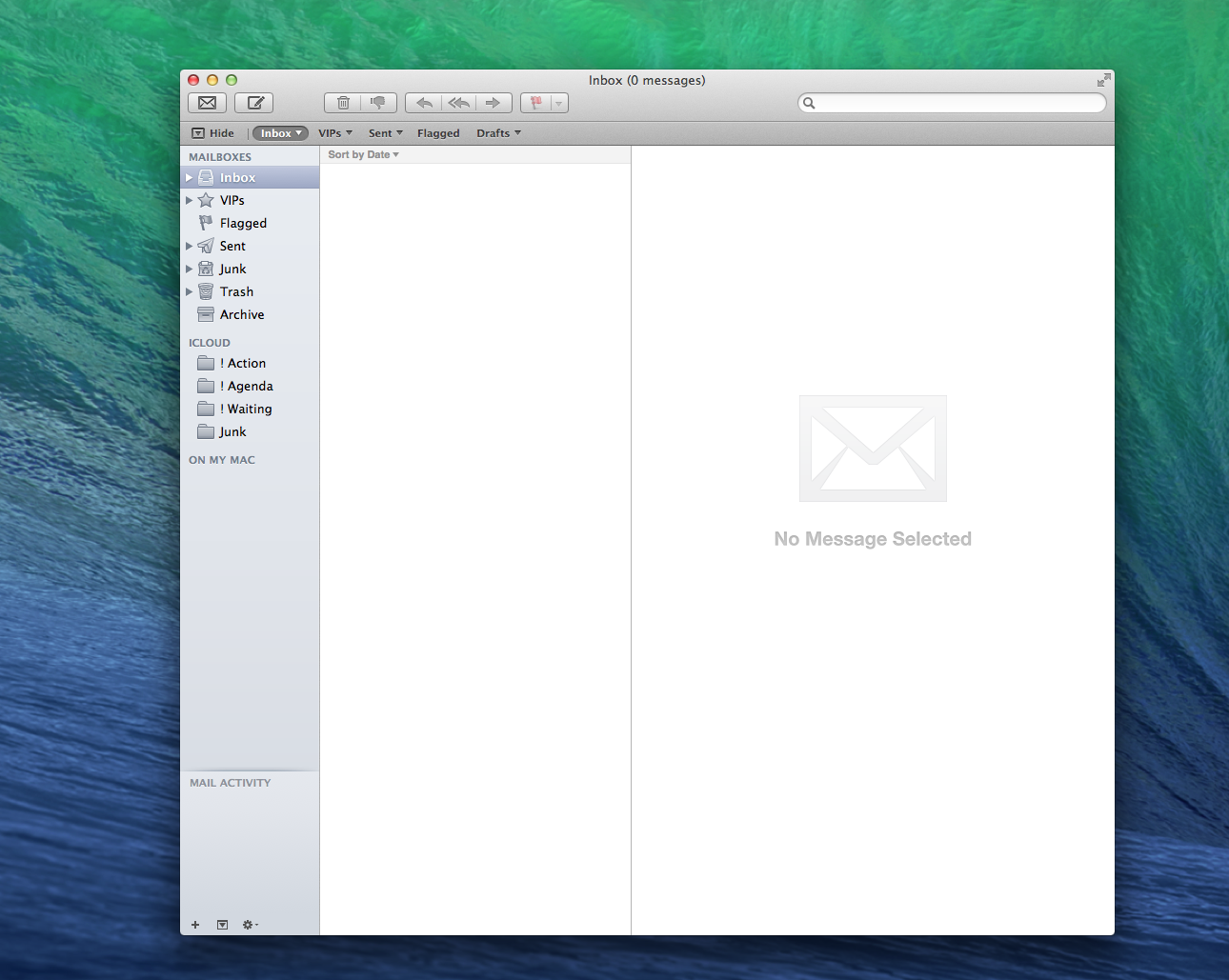
Yes, email can be overwhelming if your email inbox is your de facto task list, especially if you don’t tend to your inbox consistently. But I’m an inbox zero guy. I process through my inbox every day and empty it almost every time I open my email app.

That doesn’t mean I respond to every email, and it doesn’t mean I respond quickly to every message. I just do triage. I decide which emails need a response from me and which can be deleted or archived. If an email needs a response, I do it right away if it will take less than a couple of minutes. If it will require more thought and take longer than two minutes, I file it in an “Action” folder in my Mail app for review at another time. Also, I only open my email app two or three times each day, ideally.

A good email should have a clear subject line, nothing cryptic, and the body of the email should be as short as possible. You’re more likely to get effective responses if you keep your emails clear, direct, and simple. Don’t cc unnecessarily, and there are very few cases where you need to bcc.

Tone is always important. Some people allow the impersonal nature of email or social media to enable bad manners. Be impeccable with your words, always. Read over everything you send or publish to check for errors, of course, but also to check your tone. Imagine anything you send being published for all to see. Don’t email anything you would regret becoming public. 

Email is just a tool, but used effectively it can help you work smarter and better.

My email inbox just minutes before this post was published


Making ideas happen

I was talking with my dad this week about the conference I just went to, and he reminisced about attending photography conferences. He said that he, too, would leave conferences with lots of new ideas and enthusiasm. But if he didn’t take action immediately when he returned, those big ideas were never realized.

making ideas happen

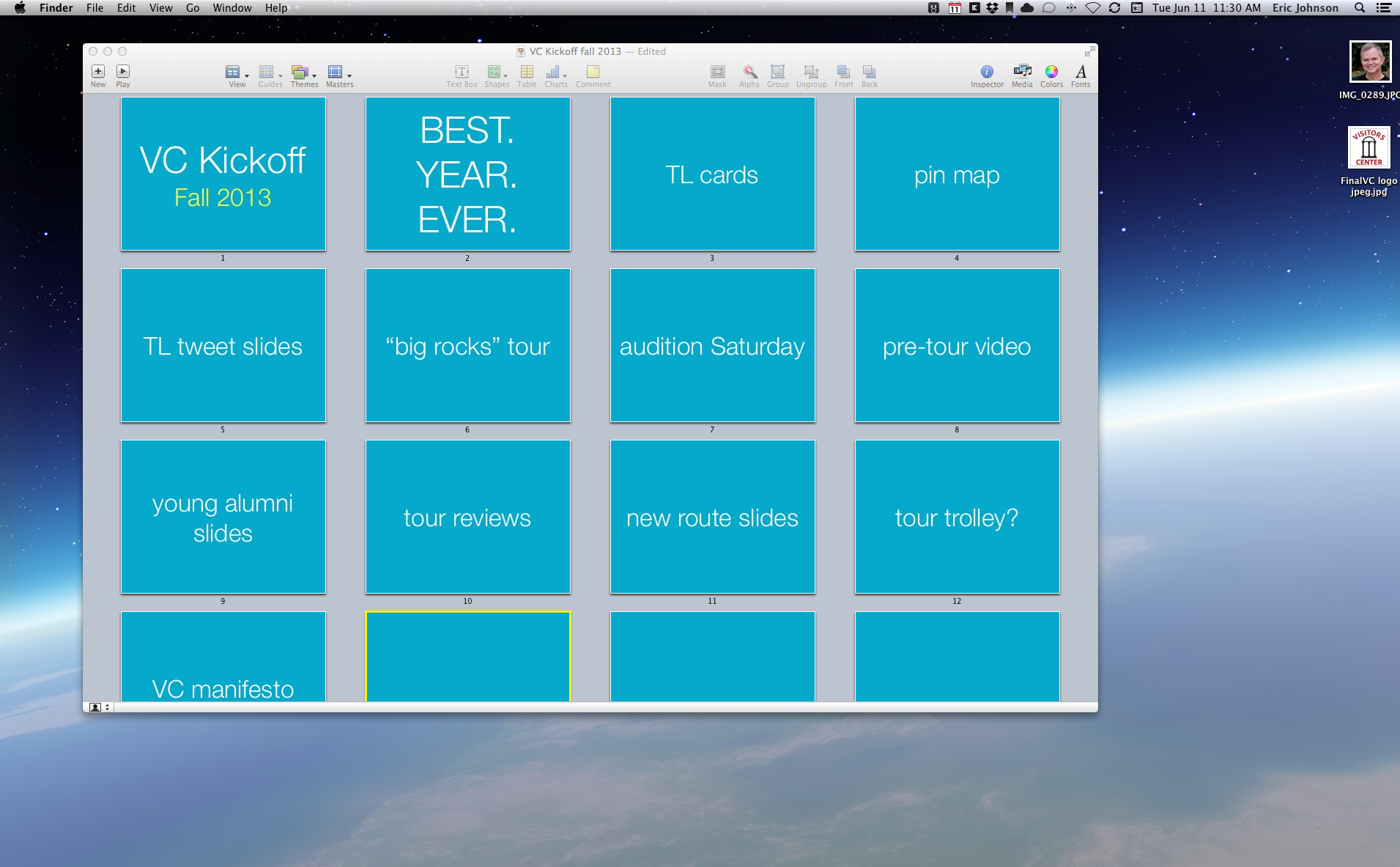
In the spirit of showing my work and forcing myself to take action, here’s my plan for making some of these new ideas I’ve collected happen. My office has a “fall kick off” staff retreat set for August 24. That is my ship deadline. I plan to have something remarkable ready to show our team by that date. Some are small projects that we’ve discussed for years but just never got around to doing. Others are big and can’t be completed in two months. However, it’s worthwhile to show them the progress we’ve made on longer term goals and begin to include the whole team in the next steps on bigger projects.

Watching Apple’s keynote yesterday, I was inspired by the way Apple announces new products and reminds its customers and its own employees of their mission. Apple keeps coming back to why they do what they do, and that makes the how and the what more meaningful. I’m envisioning allocating at least a portion of our staff retreat for an Apple-like keynote where we will unveil all the cool new stuff we’ve been working on while reinforcing the why’s of our work.

Having a fixed deadline will focus our efforts this summer. We can’t get away with just talking about these projects. If you’re ever frustrated about never getting around to that project that’s important but not necessarily urgent, give yourself a deadline. Make it public if you can. Magic happens when you’re working against the clock.

“To achieve great things, two things are needed; a plan, and not quite enough time.” -Leonard Bernstein

I’ve created a Keynote document that may or may not be the starting point for an actual presentation at the August 24 retreat. But I’m beginning with the end in mind and imagining now what would be ideal to present on that day. And then we will begin taking action to make these ideas happen. Keynote’s “Light Table” view (in Powerpoint it’s “Slide Sorter” view, I think) is a great place to brainstorm a project. I treat each slide like an index card with one separate thought or possibility per slide. They’re easy to see at a glance and simple to sort and rearrange (or delete) as the ideas evolve.

Real artists ship. If our work is our art, we need to make like a real artist and get busy making our ideas happen.

Screen Shot 2013-06-11 at 11.29.57 AM   Tuesday, June 11

It’s the feel of a thing, not the think of it

I spent my lunch break watching Apple’s WWDC keynote presentation which highlighted their newest products, including a dramatic rethinking of iOS. I can sit mesmerized for two hours by an Apple keynote. Not only do they make “insanely great” products, they know how to put on a good show. Steve Jobs is at the top of his presentation game, for example, in this historic 2007 introduction of the first iPhone.

Clearly, I’m an Apple fan. I got my first Mac, the Pixar-lamp-like white iMac, ten years ago, and I bought the 3rd-generation iPod that same year. I’ve been hooked ever since. Apple creates beautifully designed, brilliantly engineered products that make work and play more of a pleasure. They don’t hit everything out of the park, but no company has a higher batting average over the past decade than Apple.

Apple’s focus is clear. They want to make the best products in the world, if not necessarily the best-selling. (Though iPod and iPad dominate their markets, and iPhone is the most profitable in its category. And the Mac is still growing significantly compared to all other PC makers.) Unlike so many of the technology giants, Apple’s business plan does not revolve around getting their customers to click on ads. They want to make devices that make their customers’ lives better. This is their approach from the CEO down to the retail employees in Apple Stores.

20130610-200450.jpg

My computers and phone are just tools, but I appreciate that the quality of my tools has had an impact on the way I work and play. I’m all in on Apple. If the quality I’ve grown accustomed to with their products starts fading, I’ll reassess. (I was “all in” on Palm once, and now they don’t exist.) Today’s keynote shows Apple is still going strong, still innovating and polishing and polarizing critics and fans.

The key to Apple’s success is their commitment to the experience customers have with their products. Apple products often will lose a features checklist or specs comparison with competing products. But they win, often by a rout, on the feel of their products, on the delight of using them. Apple makes the hardware and the software and controls the entire user experience.

They revealed this brilliant campaign today that tells their values in a compelling way. Making consumer products and designing experiences can be poetic and artful. We are emotional creatures, moved to action less by logic and more by feeling.

What if your company, your organization, your family was as committed to excellence and the quality of experiences, the feel of things, as much as Apple is?

20130610-183811.jpg

Mise en place and “habit fields”

Chefs rely on “mise en place“, which is French for “putting in place”, for an orderly, efficient work space. All the kitchen tools and ingredients for the next meal are placed in a way that allows the work to flow with minimal resistance and maximum focus. We can arrange our work spaces for optimal effectiveness, too.

I just came across this thoughtful post, Habit Fields, by Jack Cheng. What if we arranged our work tools and surroundings to embed work habits that more readily get us into the “zone”, where we create with less distraction? Go read the whole post, but here are Cheng’s first and last paragraphs:

Consider the desk in your office. Maybe it reminds you of when you opened the box and put the pieces together. Or maybe it recalls your first day at work, when your colleague showed you where you would sit. The desk, the computer on top of it, the chair you sit in, and the space they comprise are all repositories for memory. But these things don’t just store our memories; they store our behaviors too. The sum of these stored behaviors is an object’s habit field, and merely being around it compels our bodies and minds to act in certain ways. By understanding these invisible forces and employing strategies to shape them, we can enjoy more frequent, sustained periods of flow.

We have the power to bestow our abilities onto the things around us. By being conscious of our tools, habits, and spaces, and actively conditioning them to help us behave the way we want to behave, maybe we can more efficiently tap into the thousands of hours of creative genius embedded in our everyday objects. Maybe we’ll be able to maximize the capabilities that new technologies afford us without being overwhelmed by the distractions. And, just maybe, we’ll remember what it feels like to be utterly engrossed in our daily work.

I love the idea of sitting in a different place or even facing a different way at your desk depending on whether you’re doing work or taking a mental break with some kind of distraction like Twitter. I have been doing most of my writing recently on my iPad, which makes switching to other apps just enough of a hassle to keep me on task. It’s a better uni-tasker than my Mac, and I’ve been building a writing habit around the iPad that I never did with a desktop computer.

Sharpen your “habit fields” and condition yourself to respond to your physical surroundings. Set up your work space for optimal focus when you’re working. Then the tools can better fulfill their purpose and allow you to cook up something awesome.

Presentation travel gear

20130601-204716.jpg

I’m on the road this week, doing two presentations at a national conference.

I’m a minimalist when I travel. I take only one bag, and it’s small enough to carry on board.

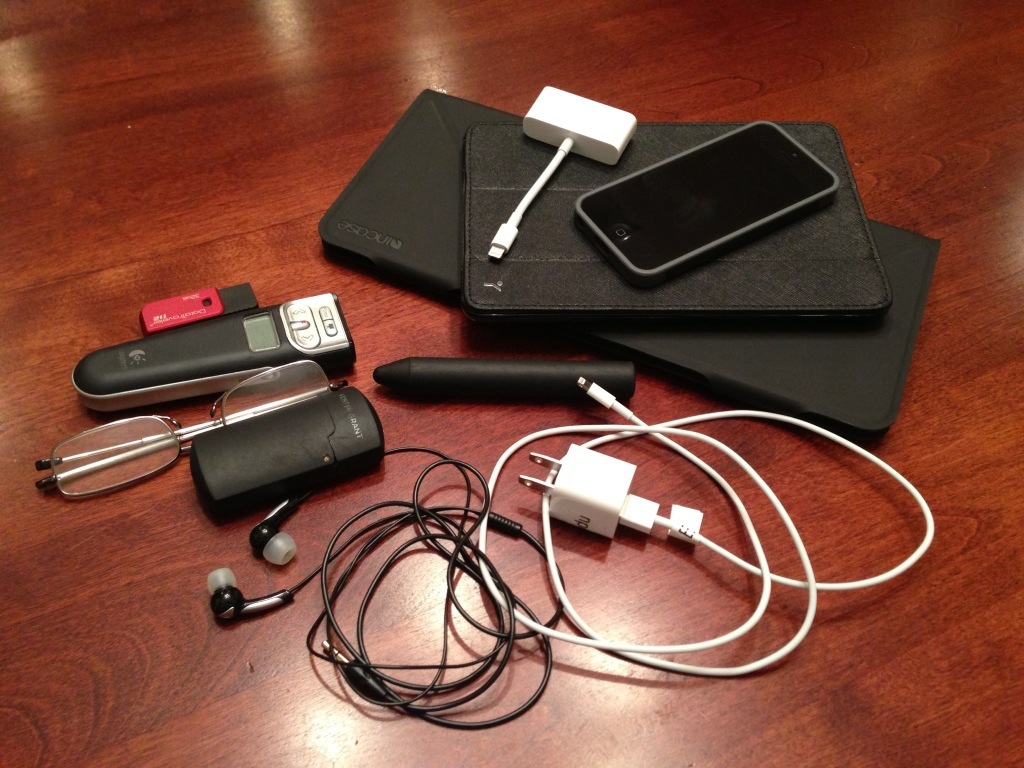
Above is the gear I brought for my presentations and for working in the hotel.

I’m using the iPad mini to run my slides with the Keynote app. I’ve got a VGA adapter to connect the iPad to the projector. I’ll use the Keynote Remote app on the iPhone to control the slideshow. (I’ve had some moments, though, when the Keynote Remote app let me down briefly. The bluetooth can disconnect randomly, but it usually comes right back. But I don’t completely trust it now.)

The flash drive is just a backup in case there are any difficulties getting the iPad connected. I could then load the document onto a local Mac or PC. Both presentations also are saved in iCloud and Dropbox. If I have to use a local PC, I’ve got a standard USB remote. I am so ready for technical difficulties. And if nothing works, I’ve got no problem going unplugged and presenting without slides. I experimented with some slideless talks this year, but I really like the oomph that images give when they support and don’t detract from the message. Images seem especially important with a larger audience, and my first presentation at the conference could have up to 300 people in the theater.

I’m continuing to love my Incase Origami Workstation Case for my Apple bluetooth keyboard. That’s what I’ve been writing almost all my posts on lately. It works with any iPad.

This is a great, minimal setup. I appreciate tools that fit their purpose and perform well. Here’s hoping I perform well regardless of the tools.

Day One: A life-tracking, life-changing app

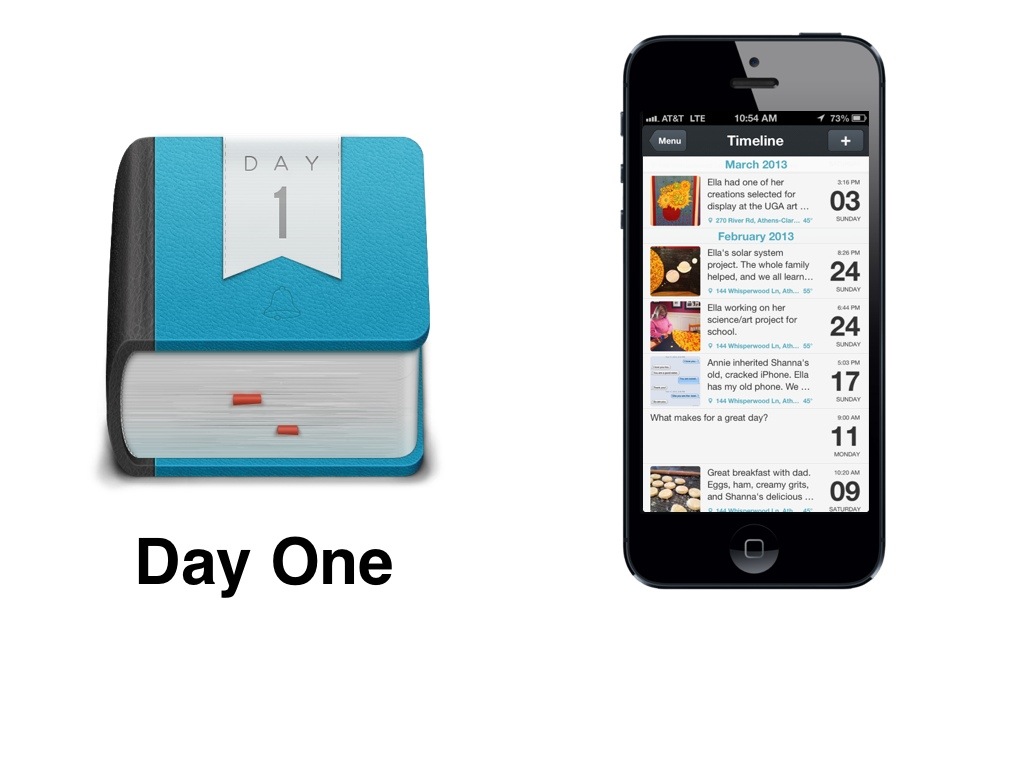
I just mentioned the Day One app in yesterday’s post, but it deserves some exploration. Day One is a simple-to-use, beautifully designed journaling app for iOS and Mac. I’ve always wanted to keep a journal. I just never have. There seemed to be too much friction to ever get started and then keep it going. I have terrible handwriting, so a paper journal never appealed to me. And I never put the effort into setting up a document on my computer.

Last year I discovered the Day One app for iPhone. I’ve now become a consistent journal keeper, using it on my Mac and iPad as well. (It syncs perfectly between all my devices.) The app is so thoughtfully made that you want to open it and use it often. I find myself dropping in photos and snippets of text throughout each day. I keep track of my kids’ activities, my meals, books I’m reading, movies, ideas to explore later, my daily “MITs” (most important tasks), and whatever comes to mind that might be worth recording. Knowing it’s private, I’m uninhibited by what others might think. I don’t worry about polishing my words for public consumption. It’s like my own private Twitter, and it’s been a delight to use.

Here is an inspiring list of uses from the Day One blog.

Why journal? It certainly leads to a more examined life. I find myself looking for interesting moments, maybe even creating more interesting moments, just to add them to Day One. I want my days to be more remarkable, more worth writing about. I do want to tell a good story with my life, and chronicling my thoughts and actions makes me more aware and more intentional about the quality of my day-to-day story.

E.M. Forster said, “How do I know what I think until I see what I say.”

Trying to express yourself, in private or public, helps you better understand yourself. Putting ideas into words ends up shaping the ideas.

Brenda Ueland, the author of my favorite book ever, says this:

The best way to know the Truth or Beauty is to try to express it. And what is the purpose of existence Here or Yonder but to discover truth and beauty and express it?

Truth and beauty. A story worth telling. Your life in your pocket. Express yourself every day.

20130527-103501.jpg

Showing my work

I watched Austin Kleon’s “Show Your Work!” Creative Mornings talk last week and was inspired by his suggestion to share not just a finished product, but the work in progress. It is inspiring to me to see how others work and to be reminded that art doesn’t just appear in perfectly polished form.

Creation is a messy, humbling process with dead-ends and u-turns and much floundering and procrastination and self-doubt. Lots of self-doubt. (Is it just me that feels like a fraud constantly on the verge of being found out?*) It can be invigorating and satisfying and joyful, too. I’m working now on preparing a talk I’m giving on June 2 at the Collegiate Information and Visitor Services Association (CIVSA) annual conference in Alexandria, VA. I’m the opening speaker with an hour on the program in a big theater, so I’m feeling some pressure to be awesome.

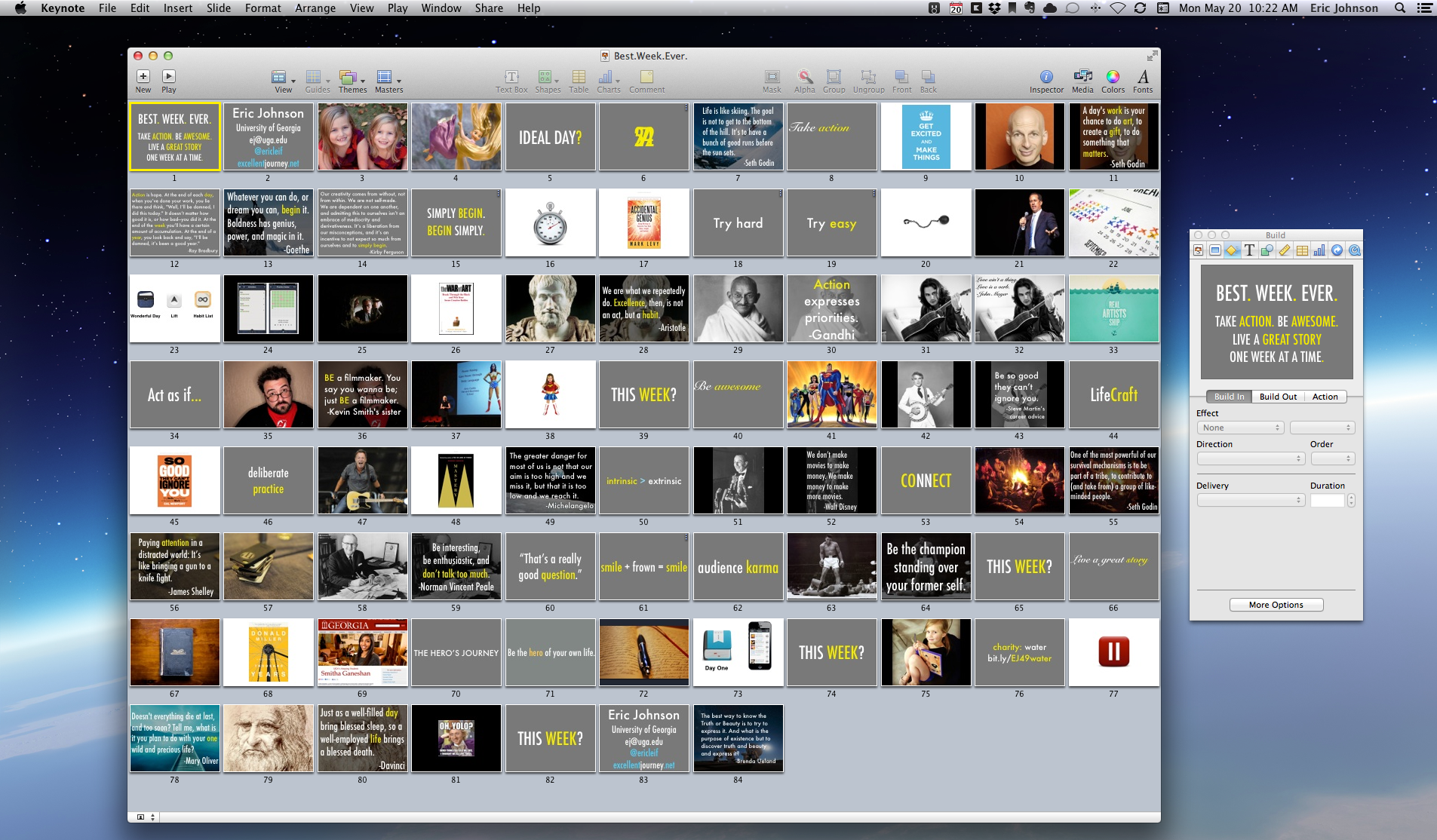
I came up with a title and short description months ago so it could be promoted in the conference program, and I immediately created a Keynote document that I’ve been dumping ideas into ever since. It’s a “kitchen sink” approach. Any thought or quote or image that seems remotely interesting and relevant gets dropped in over the course of several months. But only in the last couple of weeks have I begun putting it all together. I love Keynote. (For those who don’t know, Keynote is Apple’s version of slide software. It’s a beautiful, smart app that blows Powerpoint away.) I spend most of my time in Keynote in the “Light Table” view. It’s a great perspective for seeing connections between ideas and assessing the flow of your thoughts. Keynote is a powerful tool to plan projects in, even if you don’t need presentation slides. Here’s what my presentation looks like at the moment:

Best.Week.Ever. light table view

Since I’ve been crafting this talk over the last two weeks, I’ve been tweaking slides and adding images and rearranging the order of ideas. I’m no designer, but I care how each slide looks. I often get lost in small details of typography and which shade of yellow I prefer at the expense of the big picture of the key themes I’m supposed to be addressing. And I find myself getting infatuated with a slide or image that may not really belong. When that happens, I open up my writing app and just start writing. I simply write what I imagine I will say during my presentation. This helps sort out the flow and gets to the heart of what I’m trying to accomplish. I keep coming back to “Why?” And “What’s the point?” And “How do I hope my audience is different at the end of my talk?” Writing it out helps point me in the direction I need to go. I use iA Writer on my iPad mini for any long writing. I’m more focused when writing on the iPad than I am on my iMac. And iA Writer is a gorgeously designed, minimal app with very few features. It’s great for just writing, not for fiddling around with settings and formatting and such. It syncs your documents in iCloud or Dropbox, and there’s an equally beautiful Mac version of the app.

iA Writer on iPad mini

(I really like Apple’s wireless bluetooth keyboard, by the way. The feel of the keys is great, and the size is just right. I don’t write enough to need an iPad/keyboard combo case that’s with me all the time, so I just purchased Incase’s Origami keyboard case, which is made especially for the Apple keyboard. It’s perfect for my setup.)

Working on this presentation has reminded me how much I love creating and getting lost in a project I’m excited about. I skipped lunch last Friday because I was immersed in working on this. I never skip lunch. Lunch is my favorite meal of the day. That’s how satisfying I find this process. I find myself reviewing the slides on my iPad each night and tweaking details almost every time I open the presentation. Fortunately, iCloud has been rock solid at keeping everything synced nicely between my iPad and my Mac.

I’m still a long way from a finished presentation. I may scrap half of what I’ve already done before June 2 arrives. And once I begin rehearsing out loud, which is crucial, I will make more changes.

Okay, back to working on my work. Was this post just another bit of procrastination? Maybe. Now it’s time for lunch.

*I just looked at my presentation from last summer’s conference, where I was the closing speaker, and now those slides look ugly and half-done to me. I’m terrible. Why do they keep asking me to speak at this conference…?

Favorite kitchen tools

I enjoy cooking. Especially after moving to a mostly primal/paleo way of eating more than four years ago, I’ve taken over the family kitchen almost completely. Cooking is yet another outlet for my love of thoughtfully designed tools and gadgets. I have been asked recently, especially by couples putting together wedding gift registries, to share a list of tools I recommend.
Here’s my current list of recommended kitchen tools:

  • Victorinox Fibrox 8-inch Chef’s Knife: You really need just about three good knives, but you can probably do just fine with only a chef’s knife. This Victorinox gets rave reviews and is very affordable. Many restaurant kitchens are stocked with this knife. If you’re willing to spend more money on a chef’s knife, try this Wusthof. And if you want an heirloom, check out Bloodroot Blades, a blacksmith shop in Athens, GA, where they repurpose old metal like saw blades and files for amazing custom made knives. (Their straight razor is a beauty, too.)
  • Always grind pepper as you need it. Unicorn Magnum Pepper Mill: I LOVE this pepper mill. Here’s a smaller, less expensive key-top version. Here’s a new pepper mill contender: this highly rated model from a different company doesn’t have the one disadvantage of the Unicorn – it was too easy to accidentally open the hole where you fill the peppercorns. This model looks like a great choice.
  • Get a knife magnet to store your knives on the wall instead of in a drawer or in a block.
  • Kuhn Rikon Garlic Press: The Porsche of garlic presses. Has a good heft to it and is very efficient and easy to clean.
  • Half sheet pan (get 2): We use these pans often. I bake big batches of bacon in them weekly. (Baking bacon is much neater and more effective than frying it. Bacon comes out flat and crisp.) We use these pans to bake green beans and broccoli and sweet potato fries. Also a good size for prepping food for the grill.
  • Oxo Good Grips locking tongs: These tongs are very useful. I would get all three sizes. I use the small ones daily, and the long ones are perfect for grilling.
  • The Aeropress coffee maker gets raves from coffee nerds. I use it every morning to make my wife’s coffee, and it’s just fun to use and easy to clean. (I’m a tea man, myself.) Nice video tribute to the Aeropress here. My wife has this coffee bean grinder, and it works great.
  • This tea glass is beautiful and comes with a stainless steel infuser for loose leaf tea. Loose leaf is better than tea bags. I’m an Irish Breakfast tea fan.
  • The king of all instant-read thermometers: the Thermapen, one of my favorite gadgets of any kind.